




How to adjust the sharpness of a 3.5 Inch TFT Strip Screen?
 Aug 15, 2025|
 Hey there! As a supplier of 3.5 Inch TFT Strip Screens, I often get asked about how to adjust the sharpness of these screens. So, I thought I'd put together this blog post to share some tips and tricks.
Understanding the Basics of Screen Sharpness
Before we dive into the adjustment process, it's important to understand what screen sharpness actually means. Sharpness refers to the clarity and definition of the images and text displayed on the screen. A sharp screen will have crisp edges, clear details, and vibrant colors, while a blurry screen can make it difficult to read text or distinguish between different elements.
The sharpness of a 3.5 Inch TFT Strip Screen is influenced by several factors, including the screen's resolution, pixel density, and the quality of the graphics driver. Let's take a closer look at each of these factors.
Resolution
Resolution is the number of pixels that make up the screen. A higher resolution means more pixels, which can result in a sharper image. Most 3.5 Inch TFT Strip Screens have a resolution of 320x480 or 480x320 pixels. If your screen has a lower resolution, you may notice that the images and text appear a bit blocky or pixelated.
Pixel Density
Pixel density is the number of pixels per inch (PPI) on the screen. A higher pixel density means that the pixels are closer together, which can also result in a sharper image. When comparing different 3.5 Inch TFT Strip Screens, look for one with a higher PPI for better sharpness.
Graphics Driver
The graphics driver is the software that controls how the screen displays images and text. A good graphics driver can optimize the screen's performance and improve sharpness. Make sure you have the latest graphics driver installed for your screen to ensure the best possible performance.
Adjusting the Sharpness of Your 3.5 Inch TFT Strip Screen
Now that you understand the basics of screen sharpness, let's talk about how to adjust it. Here are some steps you can take to improve the sharpness of your 3.5 Inch TFT Strip Screen.
Step 1: Check the Screen Settings
The first thing you should do is check the screen settings on your device. Most devices have a display settings menu where you can adjust the screen resolution, brightness, contrast, and sharpness. Look for a setting called "Sharpness" or "Image Quality" and adjust it to your liking. You may need to experiment with different settings to find the one that looks best for your screen.
Step 2: Clean the Screen
A dirty screen can also affect the sharpness of the image. Use a soft, lint-free cloth to gently clean the screen. Avoid using harsh chemicals or abrasive materials, as these can damage the screen.
Step 3: Update the Graphics Driver
As mentioned earlier, the graphics driver plays an important role in the screen's performance. Make sure you have the latest graphics driver installed for your device. You can usually find the latest driver on the manufacturer's website.
Step 4: Check the Cable Connections
Loose or damaged cable connections can also cause a blurry or fuzzy image. Make sure the cables connecting your screen to your device are securely plugged in. If you notice any damage to the cables, replace them as soon as possible.
Step 5: Use a Screen Calibration Tool
Some devices come with a screen calibration tool that can help you adjust the sharpness, color accuracy, and other settings of your screen. If your device has this feature, use it to fine-tune the settings for your 3.5 Inch TFT Strip Screen.
Other Considerations
In addition to the steps above, there are a few other things you can consider to improve the sharpness of your 3.5 Inch TFT Strip Screen.
Use High-Quality Images and Videos
The quality of the images and videos you display on your screen can also affect the sharpness. Use high-resolution images and videos for the best results. Avoid using low-quality images or videos, as these can appear blurry or pixelated on the screen.

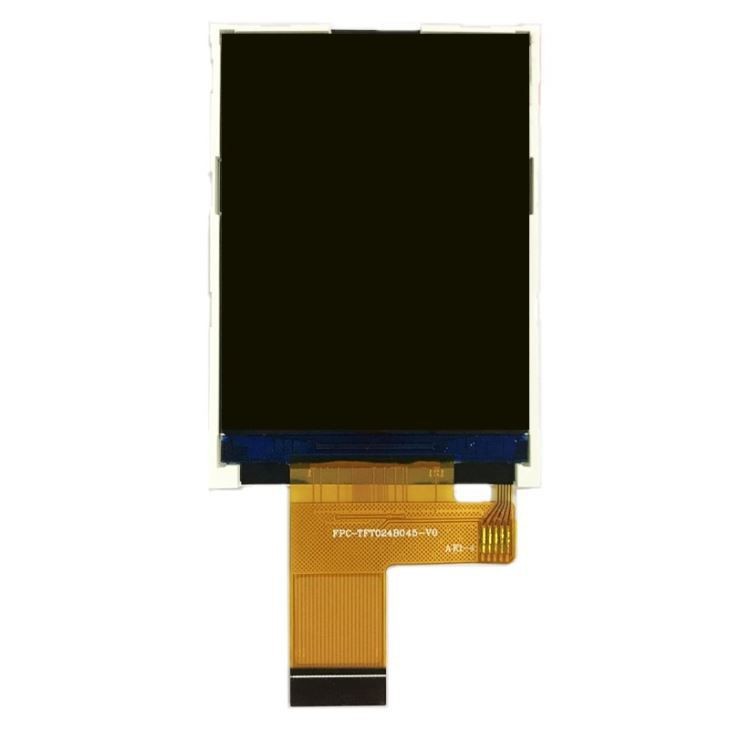
Choose the Right Screen for Your Needs
If you're in the market for a new 3.5 Inch TFT Strip Screen, make sure you choose one that meets your needs. Consider the resolution, pixel density, and other features of the screen before making a purchase. We also offer other sizes of TFT screens, such as the 2.4 Inch TFT Strip Screen, 4.3 Inch TFT With Touch Display, and Custom Size 5.0 Inch TFT Display.
Conclusion
Adjusting the sharpness of a 3.5 Inch TFT Strip Screen is not as difficult as it may seem. By following the steps outlined in this blog post, you can improve the clarity and definition of the images and text displayed on your screen. Remember to check the screen settings, clean the screen, update the graphics driver, and use high-quality images and videos for the best results.
If you have any questions or need further assistance with adjusting the sharpness of your 3.5 Inch TFT Strip Screen, feel free to reach out to us. We're here to help you get the most out of your screen. Whether you're looking for a 3.5 Inch TFT Strip Screen or any of our other products, we're ready to discuss your needs and provide you with the best solutions. Let's start a conversation about your procurement requirements and find the perfect fit for your project.
References
- Various technical manuals and documentation related to 3.5 Inch TFT Strip Screens.
- Industry knowledge and experience in the field of TFT screen technology.