




How to install a 2.4 Inch TFT Strip Screen?
 Sep 26, 2025|
 Hey there! As a supplier of 2.4 Inch TFT Strip Screens, I'm stoked to share with you how to install one of these bad boys. Whether you're a DIY enthusiast or a professional looking to get the job done right, this guide will walk you through the process step by step.
What You'll Need
Before we dive into the installation process, let's make sure you have all the necessary tools and materials. Here's a quick list:
- 2.4 Inch TFT Strip Screen: You can find our top - notch 2.4 Inch TFT Strip Screen on our website. It's high - quality and comes with everything you need for a smooth installation.
- Soldering Iron and Solder: If your screen requires soldering, you'll need a good soldering iron and some solder. Make sure you're comfortable using a soldering iron or have someone who is to assist you.
- Screwdriver: Depending on the mounting method, you might need a screwdriver to secure the screen in place.
- Electrical Tape or Heat Shrink Tubing: This is useful for insulating wires and preventing short - circuits.
- Power Supply: You'll need a suitable power supply for your screen. Check the specifications of your 2.4 Inch TFT Strip Screen to see what voltage and current it requires.
Step 1: Prepare Your Workspace
First things first, find a clean and well - lit workspace. You don't want any dust or debris getting into your screen during the installation. Lay out all your tools and materials so they're within easy reach. It's also a good idea to wear an anti - static wrist strap to prevent static electricity from damaging the screen.
Step 2: Check the Screen and Accessories
Take a good look at your 2.4 Inch TFT Strip Screen and all the accessories that came with it. Make sure there are no visible damages to the screen, such as cracks or scratches. Check the cables and connectors to ensure they're in good condition. If you notice any issues, contact our customer support right away.
Step 3: Mount the Screen
There are different ways to mount a 2.4 Inch TFT Strip Screen, depending on your application.
Surface Mounting
If you're surface - mounting the screen, use the provided mounting holes on the screen. Place the screen in the desired location and mark the holes on the surface. Then, use a screwdriver to drill holes and secure the screen with screws. Make sure the screen is level and firmly attached.
Panel Mounting
For panel mounting, you'll need to cut a hole in the panel that matches the size of the screen. Carefully insert the screen into the hole and secure it from the back using nuts and washers. This method gives a more professional and integrated look.
Step 4: Connect the Cables
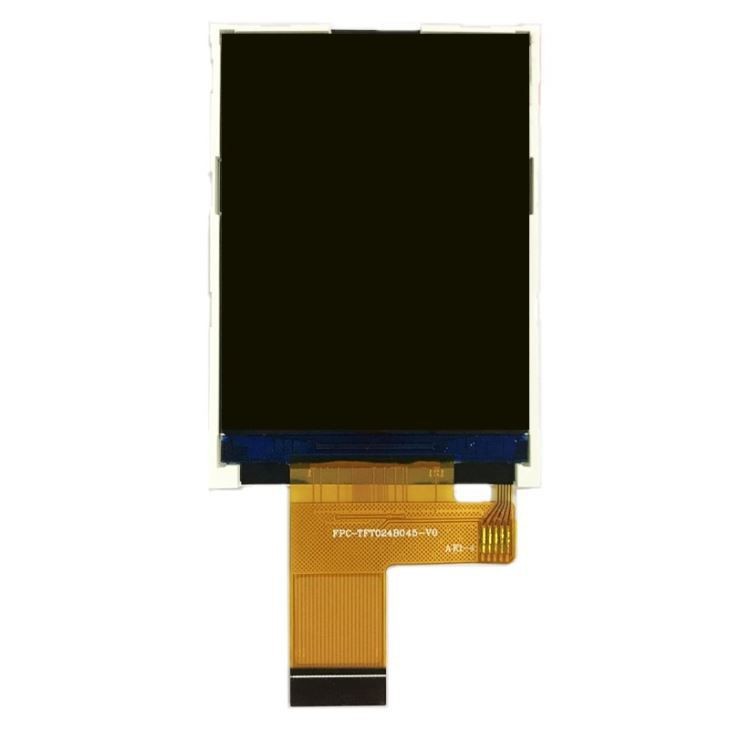
Now it's time to connect the cables. Most 2.4 Inch TFT Strip Screens come with a set of cables for power, data, and control.

Power Connection
Locate the power input pins on the screen. Connect the positive and negative wires from your power supply to the corresponding pins on the screen. Use electrical tape or heat shrink tubing to insulate the connections and prevent short - circuits. Make sure the power supply is turned off before making the connections.
Data and Control Connections
Connect the data and control cables to the appropriate ports on the screen and your device. These cables are usually labeled, so it's easy to match them up. Double - check the connections to ensure they're secure.
Step 5: Test the Screen
Before you fully secure the screen in place, it's a good idea to test it. Turn on your power supply and your device. If everything is connected correctly, you should see an image on the screen. Check for any artifacts, such as lines or dots, which could indicate a problem with the connection or the screen itself.
If the screen doesn't turn on, double - check all your connections. Make sure the power supply is providing the correct voltage and current. If you're still having issues, consult the user manual or contact our technical support team.
Step 6: Finalize the Installation
Once you've confirmed that the screen is working properly, secure any loose cables with cable ties or clips. Make sure there are no cables that could get in the way or cause a safety hazard. If you're using a case or enclosure, install it over the screen to protect it from dust and physical damage.
Other TFT Screens You Might Be Interested In
If you're looking for different sizes or types of TFT screens, we also offer 7.0 - inch TFT With Touch Display For Electricity Meter and 10.1 - inch TFT Display For Car Dashboard. These screens are also of high quality and can be used in a variety of applications.
Contact Us for Purchasing
If you're interested in purchasing our 2.4 Inch TFT Strip Screen or any of our other products, we'd love to hear from you. Whether you have questions about the installation process, product specifications, or pricing, our team is ready to assist you. Reach out to us to start a conversation about your requirements, and we'll work with you to find the best solution for your project.
References
- Manufacturer's user manual for 2.4 Inch TFT Strip Screen
- General knowledge of electronics installation and safety practices