




How to install a TFT touch screen on a device?
 Aug 01, 2025|
 Installing a TFT touch screen on a device can seem like a daunting task, but with the right guidance and a bit of patience, it can be a straightforward process. As a TFT touch screen supplier, I've helped countless customers with their installation needs. In this blog post, I'll walk you through the steps of installing a TFT touch screen on a device, from choosing the right screen to the final calibration.
Step 1: Choose the Right TFT Touch Screen
The first step in installing a TFT touch screen is to choose the right one for your device. There are several factors to consider, including size, resolution, and touch technology.

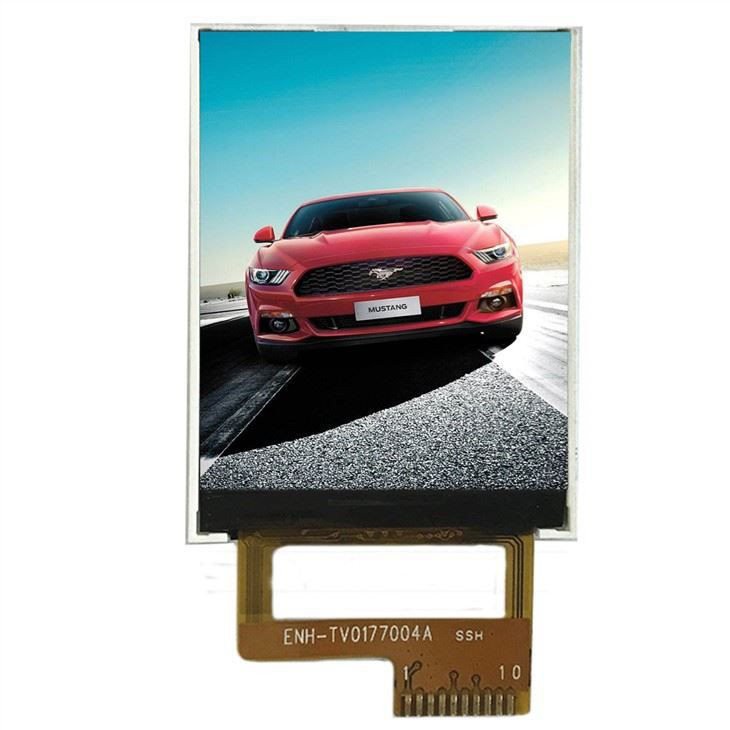
Size
The size of the TFT touch screen you choose will depend on the size of your device and the intended use. For example, if you're installing a touch screen on a small handheld device, you might want to choose a smaller screen, such as the 1.77 Inch TFT Color LCD. On the other hand, if you're installing a touch screen on a larger device, like a car dashboard, a larger screen, such as the 7.0-inch TFT With Touch Display For Car Equipment, Car Dashboard, Car Audio, might be more suitable.
Resolution
The resolution of the TFT touch screen determines the clarity and sharpness of the images and text displayed on the screen. Higher resolution screens offer better image quality but may also be more expensive. Consider the requirements of your application when choosing a resolution.
Touch Technology
There are several types of touch technologies available for TFT touch screens, including resistive, capacitive, and infrared. Resistive touch screens are the most common and are suitable for most applications. Capacitive touch screens offer better touch sensitivity and multi-touch support but are more expensive. Infrared touch screens are typically used in large displays and offer high accuracy and durability.
Step 2: Gather the Necessary Tools
Before you begin the installation process, you'll need to gather the necessary tools. Here's a list of tools you might need:
- Screwdriver set
- Soldering iron and solder (if required)
- Electrical tape
- Multimeter (for testing electrical connections)
- Cleaning cloth
- Isopropyl alcohol
Step 3: Prepare the Device
Once you've chosen the right TFT touch screen and gathered the necessary tools, it's time to prepare the device for installation. Here are the steps to follow:
- Power off the device: Make sure the device is completely powered off before you begin the installation process to avoid any electrical shocks or damage to the device.
- Remove the old screen (if applicable): If your device already has a screen, you'll need to remove it before installing the new TFT touch screen. Use a screwdriver to remove the screws holding the old screen in place and carefully disconnect any electrical connections.
- Clean the mounting area: Use a cleaning cloth and isopropyl alcohol to clean the mounting area on the device. This will ensure a clean and secure installation of the new TFT touch screen.
Step 4: Connect the Electrical Wires
The next step is to connect the electrical wires of the TFT touch screen to the device. Here's how you can do it:
- Identify the wires: The TFT touch screen will have several wires for power, ground, data, and touch control. Refer to the user manual of the touch screen to identify the wires and their functions.
- Connect the power and ground wires: Connect the power wire of the TFT touch screen to the appropriate power source on the device and the ground wire to the ground connection. Use electrical tape to secure the connections and prevent any short circuits.
- Connect the data and touch control wires: Connect the data and touch control wires of the TFT touch screen to the corresponding ports on the device. If required, use a soldering iron and solder to make the connections more secure.
- Test the connections: Use a multimeter to test the electrical connections and make sure there are no short circuits or loose connections.
Step 5: Mount the TFT Touch Screen
Once you've connected the electrical wires, it's time to mount the TFT touch screen on the device. Here's how you can do it:
- Align the screen: Carefully align the TFT touch screen with the mounting area on the device. Make sure the screen is centered and level.
- Secure the screen: Use screws or adhesive tape to secure the TFT touch screen to the device. Make sure the screen is firmly attached and does not move or wobble.
- Check the fit: Once the screen is mounted, check the fit and make sure there are no gaps or unevenness between the screen and the device.
Step 6: Calibrate the Touch Screen
After mounting the TFT touch screen, you'll need to calibrate it to ensure accurate touch response. Here's how you can do it:
- Power on the device: Turn on the device and wait for it to boot up.
- Access the touch screen calibration settings: Most devices have a built-in touch screen calibration utility. Access the settings menu on the device and look for the touch screen calibration option.
- Follow the calibration instructions: The calibration utility will display a series of points on the screen. Touch each point with your finger or a stylus as accurately as possible. The device will then adjust the touch screen settings based on your input.
- Test the touch screen: After calibration, test the touch screen by tapping on different areas of the screen and performing various touch gestures. Make sure the touch screen responds accurately to your input.
Step 7: Test the TFT Touch Screen
Once you've calibrated the touch screen, it's time to test the TFT touch screen to make sure it's working properly. Here's what you can do:
- Check the display: Make sure the display of the TFT touch screen is clear and sharp. Check for any dead pixels or color issues.
- Test the touch functionality: Use your finger or a stylus to perform various touch gestures on the screen, such as tapping, swiping, and pinching. Make sure the touch screen responds accurately to your input.
- Run some applications: Open some applications on the device and test the touch screen functionality within the applications. Make sure the touch screen works smoothly and without any issues.
Conclusion
Installing a TFT touch screen on a device is a relatively simple process if you follow the right steps. By choosing the right screen, gathering the necessary tools, preparing the device, connecting the electrical wires, mounting the screen, calibrating the touch screen, and testing the screen, you can ensure a successful installation.
If you're interested in purchasing a TFT touch screen for your device, we offer a wide range of high-quality TFT touch screens, including the 2.4 Inch TFT Strip Screen, 7.0-inch TFT With Touch Display For Car Equipment, Car Dashboard, Car Audio, and 1.77 Inch TFT Color LCD. Our touch screens are designed to provide excellent performance and reliability. If you have any questions or need further assistance with your TFT touch screen installation, please don't hesitate to contact us for a purchasing discussion.
References
- TFT touch screen user manuals
- Device user manuals
- Online resources on TFT touch screen installation