




How to prevent burn - in on a Transflective Graphic LCD?
 Jul 08, 2025|
 Hey there! As a supplier of Transflective Graphic LCDs, I've seen firsthand how burn - in can be a real pain in the neck for our customers. Burn - in is when static images are displayed on the LCD for too long, causing a permanent shadow or ghost image to remain on the screen. It's not only unsightly but can also affect the overall performance and lifespan of your display. So, in this blog, I'm gonna share some tips on how to prevent burn - in on a Transflective Graphic LCD.
Understanding How Burn - In Happens
Before we dive into the prevention methods, it's important to understand how burn - in occurs. In a Transflective Graphic LCD, liquid crystals are used to control the passage of light. When a static image is displayed for an extended period, the liquid crystals in the areas corresponding to that image can become "stuck" in a particular position. This causes uneven wear on the display, leading to the appearance of a ghost image.
Factors like high brightness levels, long exposure to static images, and high operating temperatures can all contribute to the likelihood of burn - in. For example, if you have a dashboard display in a vehicle that always shows the same speedometer and fuel gauge readings, over time, these static elements can start to cause burn - in.
Adjusting Display Settings
One of the easiest ways to prevent burn - in is by adjusting your display settings. First off, you should lower the brightness level of your Transflective Graphic LCD. High brightness not only consumes more power but also increases the stress on the liquid crystals. Most modern LCDs come with adjustable brightness settings. You can usually find these in the display menu. Aim for a brightness level that is comfortable for your eyes but not so high that it puts unnecessary strain on the screen.
Another important setting to adjust is the contrast. Just like with brightness, an overly high contrast can also contribute to burn - in. By finding the right balance between brightness and contrast, you can significantly reduce the risk of burn - in.
Using Screen Savers and Dynamic Content
Screen savers aren't just for looks; they're a great tool for preventing burn - in. When your display is idle for a certain period, a screen saver can kick in and display a constantly changing pattern or image. This helps to distribute the wear evenly across the screen, preventing any one area from being exposed to a static image for too long.
You can also consider using dynamic content instead of static images whenever possible. For instance, if you're using your Transflective Graphic LCD for a point - of - sale system, you can cycle through different product images or promotional messages. This way, the display is always showing something new, reducing the risk of burn - in.
Implementing Automatic Image Rotation
If you have a display that needs to show certain information continuously, implementing automatic image rotation can be a game - changer. For example, if you're using an Graphic LCD Display for Handheld Products that always shows a menu or a status bar, you can program the display to rotate the position of these elements periodically. This spreads the wear across the entire screen and helps prevent burn - in.
Many LCD controllers support image rotation features. You can usually configure these settings through the controller's software interface. It might take a bit of time to set up, but it's well worth the effort in the long run.
Managing Operating Temperature
High operating temperatures can accelerate the burn - in process. Transflective Graphic LCDs are sensitive to heat, so it's important to keep them cool. If your display is installed in an enclosed space, make sure there is proper ventilation. You can use fans or heat sinks to dissipate heat effectively.
Avoid placing your LCD near heat sources such as radiators or direct sunlight. For example, if you're using an LCD in an outdoor kiosk, make sure it's shaded or has a protective cover to block the sun's rays. By keeping the operating temperature within the recommended range, you can significantly extend the lifespan of your display and reduce the risk of burn - in.
Regular Maintenance and Monitoring
Regular maintenance is key to preventing burn - in. You should clean your Transflective Graphic LCD regularly using a soft, lint - free cloth. Avoid using harsh chemicals or abrasive materials, as these can damage the screen.
It's also a good idea to monitor your display for any signs of burn - in. Check for ghost images or uneven color distribution on the screen. If you notice any early signs of burn - in, you can take corrective action immediately. For example, you can change the display settings or use a burn - in correction tool if available.
Choosing the Right LCD Module
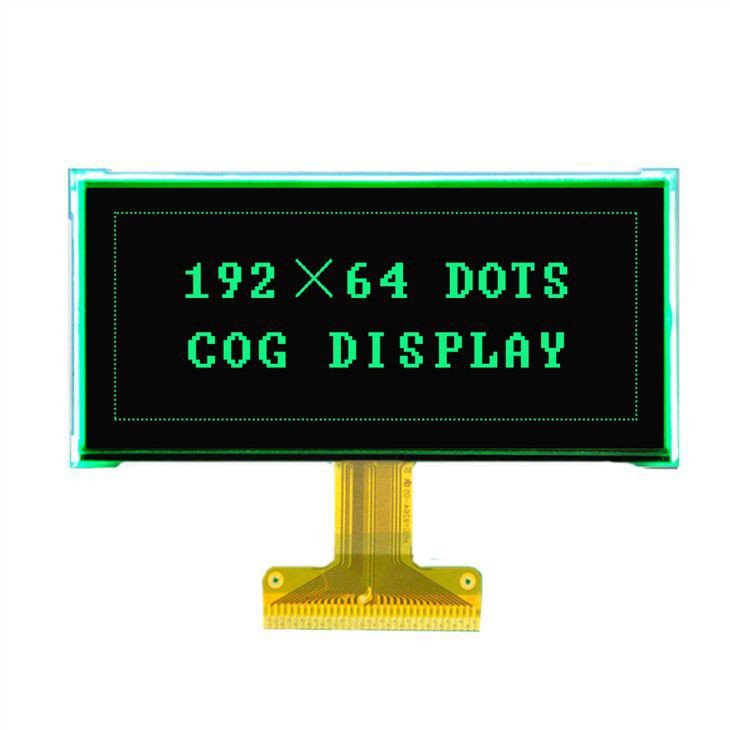
When purchasing a Transflective Graphic LCD, make sure you choose a high - quality module. Look for an LCD Module with Backlight that is designed to be resistant to burn - in. Reputable manufacturers often use advanced technologies and materials to reduce the risk of burn - in.

Read reviews and ask for recommendations from other users or industry experts. A well - made LCD module will not only perform better but also be more durable in the long run.
Conclusion
Preventing burn - in on a Transflective Graphic LCD is all about being proactive. By adjusting your display settings, using screen savers and dynamic content, implementing image rotation, managing operating temperature, and performing regular maintenance, you can significantly reduce the risk of burn - in.
If you're in the market for a high - quality Transflective Graphic LCD or need more advice on preventing burn - in, don't hesitate to reach out. We're here to help you find the perfect Electronic Graphic LCD Display for your needs and ensure that it lasts for a long time. Whether you're using it for industrial applications, handheld devices, or something else, we've got you covered.
References
- "LCD Technology and Burn - In Prevention" - A technical guide on LCD displays and how to avoid burn - in.
- "Best Practices for LCD Display Maintenance" - An industry report on maintaining LCDs to prevent common issues like burn - in.