




What is the power - on sequence for an LCD Character Display Module?
 Aug 04, 2025|
 As a trusted supplier of LCD Character Display Modules, I often receive inquiries about the proper power - on sequence for these devices. Understanding the correct power - on sequence is crucial as it can significantly impact the performance, longevity, and reliability of the display module. In this blog, I will delve into the details of the power - on sequence for an LCD Character Display Module, providing insights and best practices based on years of experience in the industry.
Why the Power - on Sequence Matters
Before we get into the actual sequence, it's important to understand why it's so important. An incorrect power - on sequence can lead to various issues, such as incorrect display initialization, flicker, and even permanent damage to the LCD module. The internal components of an LCD Character Display Module, including the controller, driver, and liquid crystal cells, need to be powered up in a specific order to function correctly. This is because different components have different power requirements and timings, and a misstep in the power - on process can disrupt the delicate balance within the module.

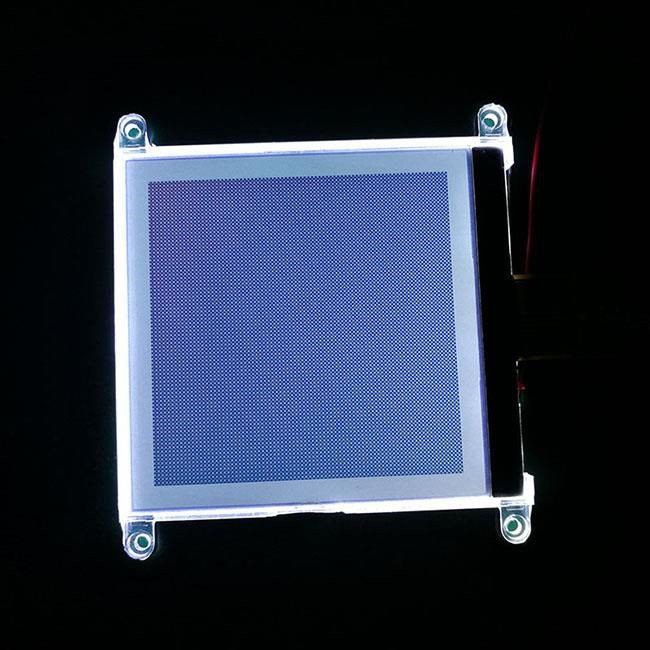
General Power - on Sequence Steps
Step 1: Power Supply Connection
The first step in the power - on sequence is to connect the power supply to the LCD Character Display Module. It is essential to ensure that the power supply voltage is within the specified range for the module. Most LCD Character Display Modules operate at a voltage between 4.5V and 5.5V, although some may have different requirements. Using a power supply with an incorrect voltage can cause the module to malfunction or even be damaged.
When connecting the power supply, it's also important to pay attention to the polarity. Reversing the polarity can lead to immediate damage to the module. Always double - check the datasheet of the LCD module to confirm the correct power supply connections.
Step 2: Initial Delay
After connecting the power supply, it is recommended to wait for a short period, typically around 100 - 200 milliseconds. This delay allows the power supply to stabilize and reach a steady state. During this time, the internal capacitors of the module are charging, and the power supply voltage is becoming stable. Skipping this step can result in inconsistent performance as the module may not receive a stable power source during the initialization process.
Step 3: Reset the Module
Once the power supply has stabilized, the next step is to reset the LCD Character Display Module. This is usually done by sending a reset signal to the module. The reset signal clears the internal registers of the module and initializes the display to its default state. The reset signal can be sent either by hardware (using a reset pin) or by software (by sending a specific command).
The reset process is crucial as it ensures that the module starts from a known state. It clears any previous data or settings that may have been stored in the module's memory, allowing for a fresh start.
Step 4: Initialize the Display
After resetting the module, the next step is to initialize the display. This involves sending a series of commands to the module to configure its various settings, such as the display mode (e.g., 4 - bit or 8 - bit data transfer), the number of display lines (1 - line or 2 - line display), and the character font.
The initialization commands are specific to the type of LCD controller used in the module. For example, if the module uses the Hitachi HD44780 controller, the initialization sequence typically includes commands to set the function set, display on/off control, and entry mode set. These commands are sent to the module's command register one by one, following the correct timing and protocol.
Step 5: Display Data
Once the display has been initialized, it is ready to display data. Data can be sent to the module's data register in either 4 - bit or 8 - bit mode, depending on the configuration set during the initialization process. The data can be text characters, numbers, or special symbols.
When sending data, it is important to follow the correct timing and protocol. Each data byte needs to be sent with the appropriate control signals (such as the enable signal) to ensure that the data is correctly received and displayed on the screen.
Special Considerations for Different Applications
Graphic LCDs
For White On Blue Graphic LCD, the power - on sequence may be slightly different. Graphic LCDs typically have a more complex initialization process as they need to configure the display memory, pixel format, and other graphic - related settings. In addition to the general power - on steps, graphic LCDs may require additional commands to set up the frame buffer, define the display resolution, and select the color palette.
Auto Instrument LCDs
LCD Screen Module for Auto Instrument used in automotive applications have specific requirements due to the harsh operating environment. These modules need to be more robust and reliable. The power - on sequence may need to be adjusted to account for factors such as voltage fluctuations, electromagnetic interference, and temperature variations. For example, additional filtering and protection circuits may be required to ensure a stable power supply during the power - on process.
Weight Scale LCDs
Weight Scale Of Character LCD Display used in weighing applications also have unique considerations. These modules often need to display accurate numerical data. The power - on sequence should ensure that the display is initialized correctly to avoid any errors in the weight readings. Additionally, the module may need to be calibrated during the initialization process to ensure accurate display of the weight values.
Conclusion and Call to Action
In conclusion, the power - on sequence for an LCD Character Display Module is a critical process that requires careful attention to detail. By following the correct power - on sequence, you can ensure the optimal performance, reliability, and longevity of the module.
If you are in the market for high - quality LCD Character Display Modules or have any questions about the power - on sequence or other aspects of our products, I encourage you to reach out to us. Our team of experts is always ready to assist you with your procurement needs and provide you with the best solutions for your applications. Whether you need a standard module or a customized solution, we have the expertise and resources to meet your requirements.
References
- "LCD Character Display Module Datasheets"
- "Hitachi HD44780 Controller Manual"
- "Automotive Electronics Design Guidelines"