




Can a 2.7 Inch Graphic LCD Display be connected to a PC?
 Jun 03, 2025|
 In the world of electronics, the question of whether a 2.7 - inch graphic LCD display can be connected to a PC is one that often arises. As a supplier of 2.7 - inch graphic LCD displays, I'm well - versed in this topic and eager to share insights.
Understanding the Basics of a 2.7 - Inch Graphic LCD Display
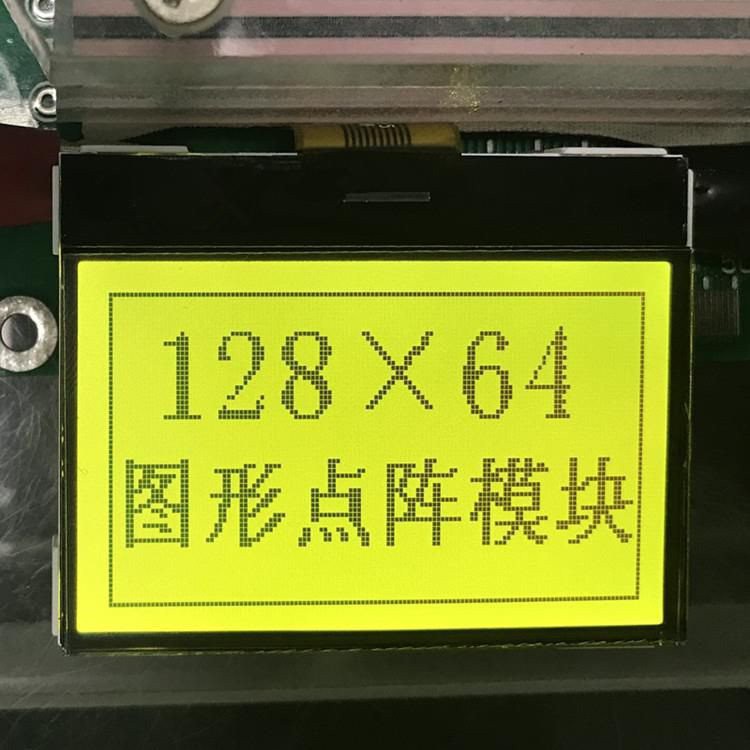
A 2.7 - inch graphic LCD display is a compact yet powerful device. It offers a relatively high - resolution visual output within a small form factor. These displays are commonly used in various applications such as portable devices, test equipment, and embedded systems. They are designed to show graphics, text, and images with clarity.
Graphic LCDs come in different types, including Transflective Graphic LCD. Transflective displays are unique as they can operate in both reflective and transmissive modes. In bright ambient light, they reflect the surrounding light to show the display content, while in low - light conditions, they can use a backlight for illumination. This makes them suitable for a wide range of environments.
Another type is the Graphic LCD Monochrome LCD Display Module. Monochrome displays are often used when cost - effectiveness and simplicity are key factors. They can display images and text in a single color, typically black and white, but they still offer good contrast and readability.
Compatibility with a PC
The ability to connect a 2.7 - inch graphic LCD display to a PC depends on several factors.
Interface Compatibility
One of the primary considerations is the interface of the LCD display. Common interfaces for LCD displays include SPI (Serial Peripheral Interface), I2C (Inter - Integrated Circuit), and parallel interfaces. PCs usually have a variety of ports such as USB, HDMI, and VGA. To connect the 2.7 - inch graphic LCD to a PC, an appropriate interface converter may be required.
For example, if the LCD display has an SPI interface, and the PC does not have a direct SPI port, a USB - to - SPI converter can be used. These converters are readily available in the market and can bridge the gap between the LCD's interface and the PC's USB port.
Driver Support
In addition to the physical connection, the PC needs to have the appropriate drivers to recognize and communicate with the 2.7 - inch graphic LCD display. Some LCD manufacturers provide their own drivers, which can be downloaded from their official websites. These drivers ensure that the PC can send the correct signals to the display and control its functions such as brightness, contrast, and resolution.
Power Supply
The 2.7 - inch graphic LCD display also requires a proper power supply. Some displays can be powered directly from the PC's USB port, while others may need an external power source. It is important to check the power requirements of the display and ensure that the power supply is stable and sufficient to operate the display properly.
Advantages of Connecting a 2.7 - Inch Graphic LCD to a PC
There are several advantages to connecting a 2.7 - inch graphic LCD display to a PC.
Portable Display Solution
A 2.7 - inch graphic LCD can serve as a portable secondary display for a PC. This is useful for on - the - go applications where a full - sized monitor is not practical. For example, in a field - testing scenario, a technician can use the 2.7 - inch display to view real - time data from the PC without the need to carry a large monitor.

Customized Display
The 2.7 - inch graphic LCD display can be used to create a customized display interface. With the help of programming languages such as Python or C++, developers can write code to display specific information on the LCD, such as sensor readings, system status, or custom graphics. This is particularly useful in embedded systems development and prototyping.
Similar Products in Our Portfolio
Apart from the 2.7 - inch graphic LCD display, we also offer 2.5 Inch Graphic LCD. The 2.5 - inch graphic LCD has similar features to the 2.7 - inch one but in a slightly smaller form factor. It is also suitable for applications where space is limited.
How to Connect a 2.7 - Inch Graphic LCD to a PC
If you are interested in connecting a 2.7 - inch graphic LCD to a PC, here are the general steps:
- Check the Display Interface: Determine the interface type of the 2.7 - inch graphic LCD display.
- Select the Appropriate Converter: Based on the display interface and the available PC ports, choose a suitable interface converter.
- Install the Drivers: Download and install the necessary drivers for the display on the PC.
- Make the Physical Connection: Connect the display to the PC using the converter.
- Power on the Display: Ensure that the display is properly powered, either from the PC or an external power source.
- Configure the Display Settings: Use the PC's display settings to adjust the resolution, orientation, and other parameters of the 2.7 - inch graphic LCD display.
Conclusion
In conclusion, a 2.7 - inch graphic LCD display can be connected to a PC with the right hardware and software setup. As a supplier of these displays, we are committed to providing high - quality products and technical support to help our customers achieve successful connections. Whether you are a hobbyist, a developer, or a business looking for a portable display solution, our 2.7 - inch graphic LCD displays can meet your needs.
If you are interested in purchasing our 2.7 - inch graphic LCD displays or have any questions about connecting them to a PC, please feel free to contact us for more information and to start a procurement discussion.
References
- LCD Display Technology Handbook, published by a leading electronics technology publisher.
- Various online resources on LCD display interfaces and PC connectivity.